
01
选择真实 UI
在运行中的应用里选择一个或多个元素,然后用 Done 确认 pending set。
React 开发者工具

Agentic React
在浏览器里选择真实 UI,捕获 component names、selectors、source locations、snippets、owner traces 和本地 MCP tools,让 agents 不靠猜也能改对代码。
选择工作流
工具包覆盖真实应用,追踪被选中的 components,并把这些 context 打包给 agent。每一帧都来自官方 playground。
第 1 张,共 5 张:查看完整选择工作流
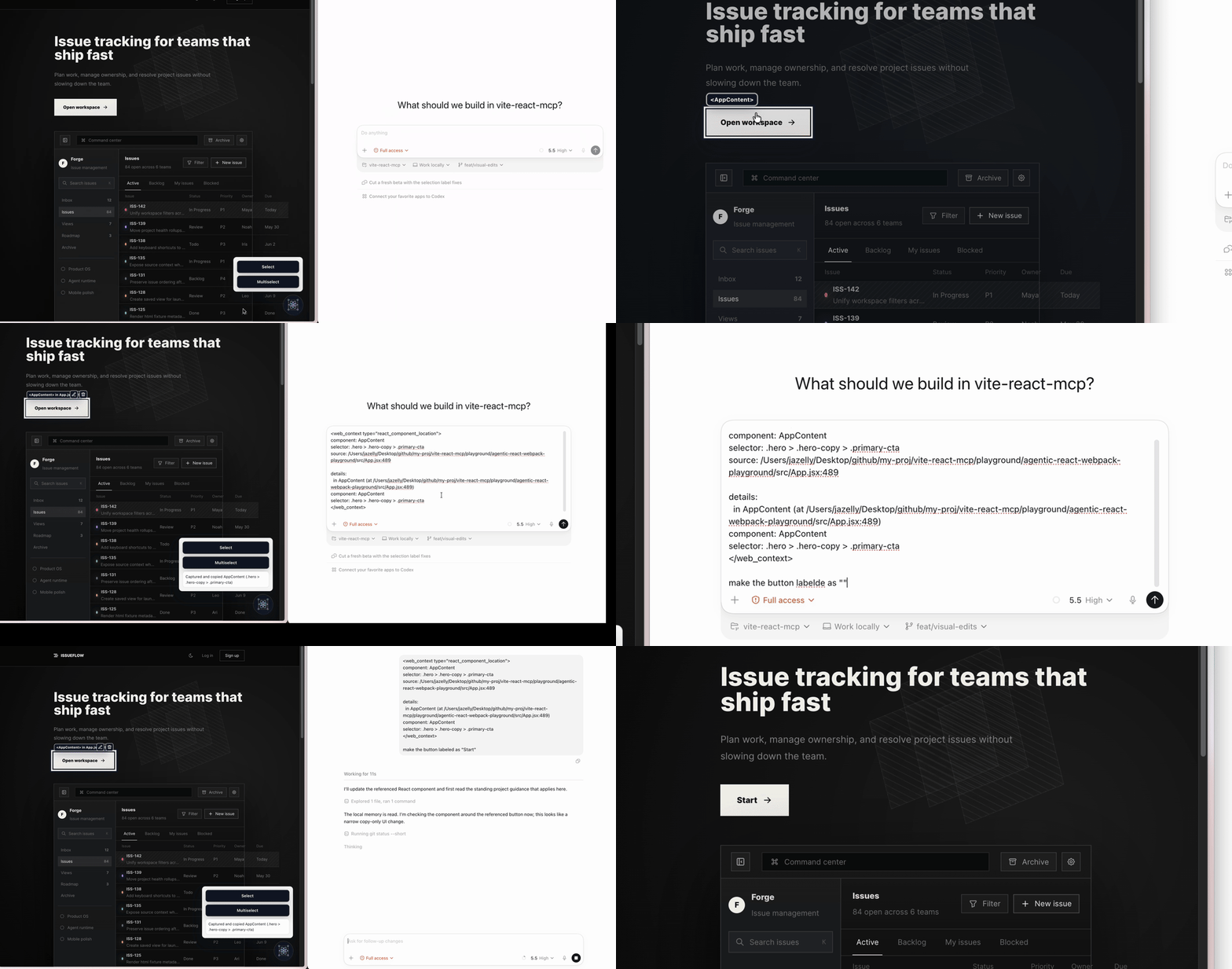
01 / 05
选择 live React UI,并把它的精确 source context 交给 coding agent。
聚焦此轮播后,可使用左右方向键浏览。
为什么重要
Agentic React 把视觉意图转成 source-aware evidence,让 agent 不用按描述搜索整个应用也能行动。
01
在运行中的应用里选择一个或多个元素,然后用 Done 确认 pending set。
02
收集 component names、stable selectors、source locations、nearby code 和 owner traces。
03
复制结构化 text 或 JSON,或通过本地 MCP endpoint 暴露选择结果。
开发者工作流
浏览器 runtime 理解 live React tree。bundler adapters 添加本地 source lookup 和 MCP transport,同时把 bridge 保持在 development tooling 内。
选择与应用 bundler 匹配的 package。
使用浏览器内 overlay 捕获你指的 components,然后确认 pending selection。
通过 copy、JSON 或本地 MCP bridge 发送精确的 source-aware context。
选择 adapter
每个 adapter 都包含 core browser runtime,并添加自己的本地 development bridge。
Vite
pnpm install @agentic-react/vite -DWebpack
pnpm install @agentic-react/webpack -DNext.js
pnpm install @agentic-react/next -D社区反馈
使用方向键浏览
第 1 条反馈,共 4 条,来自 chukeng

“Agentic React 把“页面上那个东西”替换成精确的 component、selector 和 source location。我的 coding agent 从证据开始,而不是靠猜。”
下一步
为你的 stack 安装 adapter,并把下一次 UI 编辑所需的精确 React context 交给它。