
“Agentic React 把“页面上那个东西”替换成精确的 component、selector 和 source location。我的 coding agent 从证据开始,而不是靠猜。”

在浏览器里选择真实 UI,捕获 component names、selectors、source locations、snippets、owner traces 和本地 MCP tools,让 agents 不靠猜也能改对代码。
浏览器 runtime 读取 live React tree,bundler adapters 补上 source lookup 和 MCP。
选择与应用 bundler 匹配的 package。
使用浏览器内 overlay 捕获你指的 components,然后确认 pending selection。
通过 copy、JSON 或本地 MCP bridge 发送精确的 source-aware context。
工具包覆盖真实应用,追踪被选中的 components,并把这些 context 打包给 agent。每一帧都来自官方 playground。
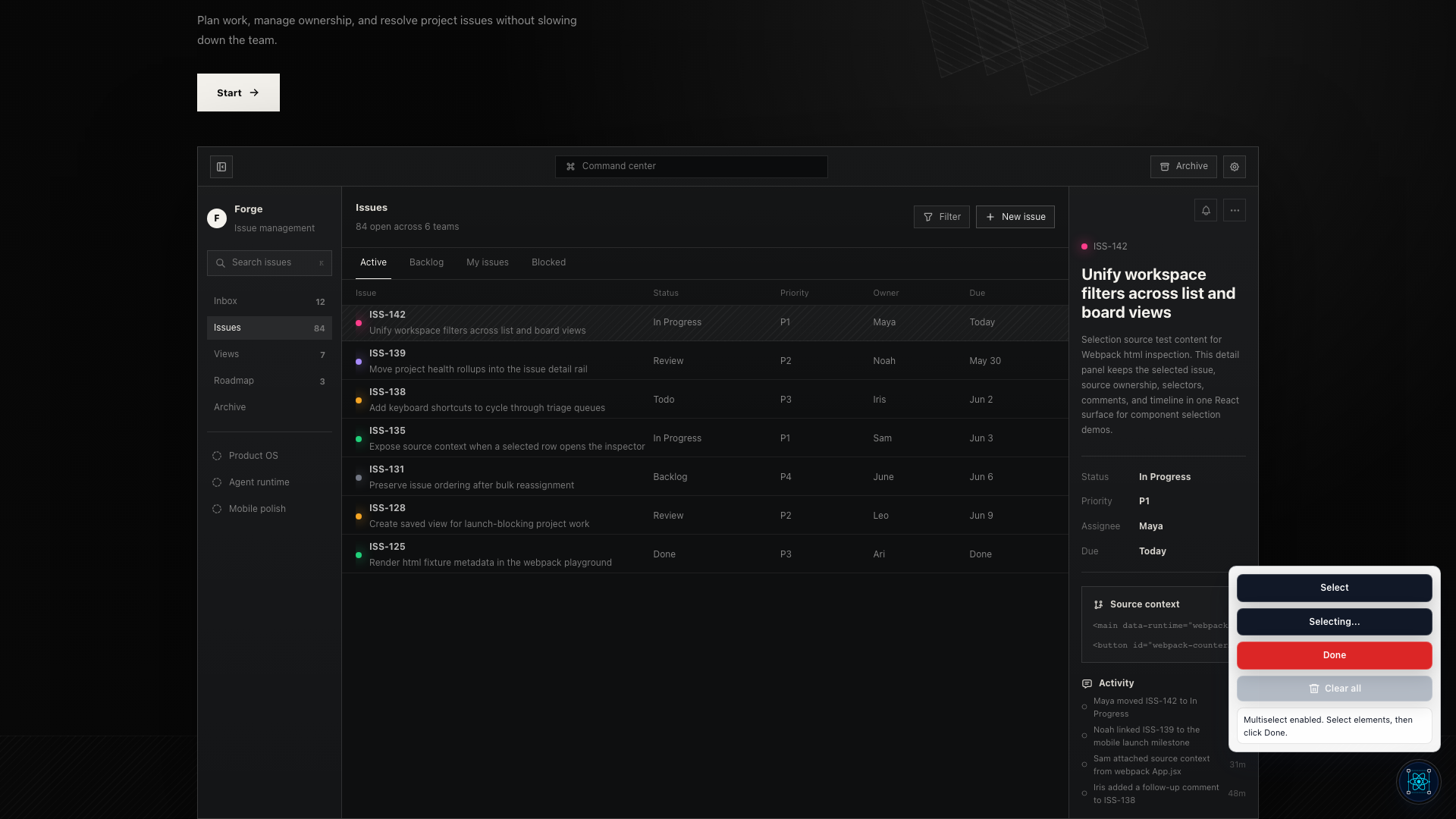
Agentic React 把视觉意图转成 source-aware evidence,让 agent 不用按描述搜索整个应用也能行动。
在运行中的应用里选择一个或多个元素,然后用 Done 确认 pending set。
收集 component names、stable selectors、source locations、nearby code 和 owner traces。
复制结构化 text 或 JSON,或通过本地 MCP endpoint 暴露选择结果。
每个 adapter 都包含 core browser runtime,并添加自己的本地 development bridge。
pnpm install @agentic-react/vite -Dpnpm install @agentic-react/webpack -Dpnpm install @agentic-react/next -D第 1 条反馈,共 4 条,来自 chukeng
“Agentic React 把“页面上那个东西”替换成精确的 component、selector 和 source location。我的 coding agent 从证据开始,而不是靠猜。”
Adapters 把本地 source lookup 和 MCP transport 保持在 development tooling 内。