
01
Every check before treatment
Allergies, consent status and the patient’s health history stay visible on the record, so gaps surface before treatment starts.
Case study · Aesthetic clinic

Aesthetic Practice
In under two weeks, we worked with an Australian aesthetic clinic to bring appointments, the waiting room, patient records, injection charting, batch-tracked stock, billing and follow-up into one desktop app. AI agents did the research, design and coding; the clinic keeps the final say on every clinical rule.
Inside the app
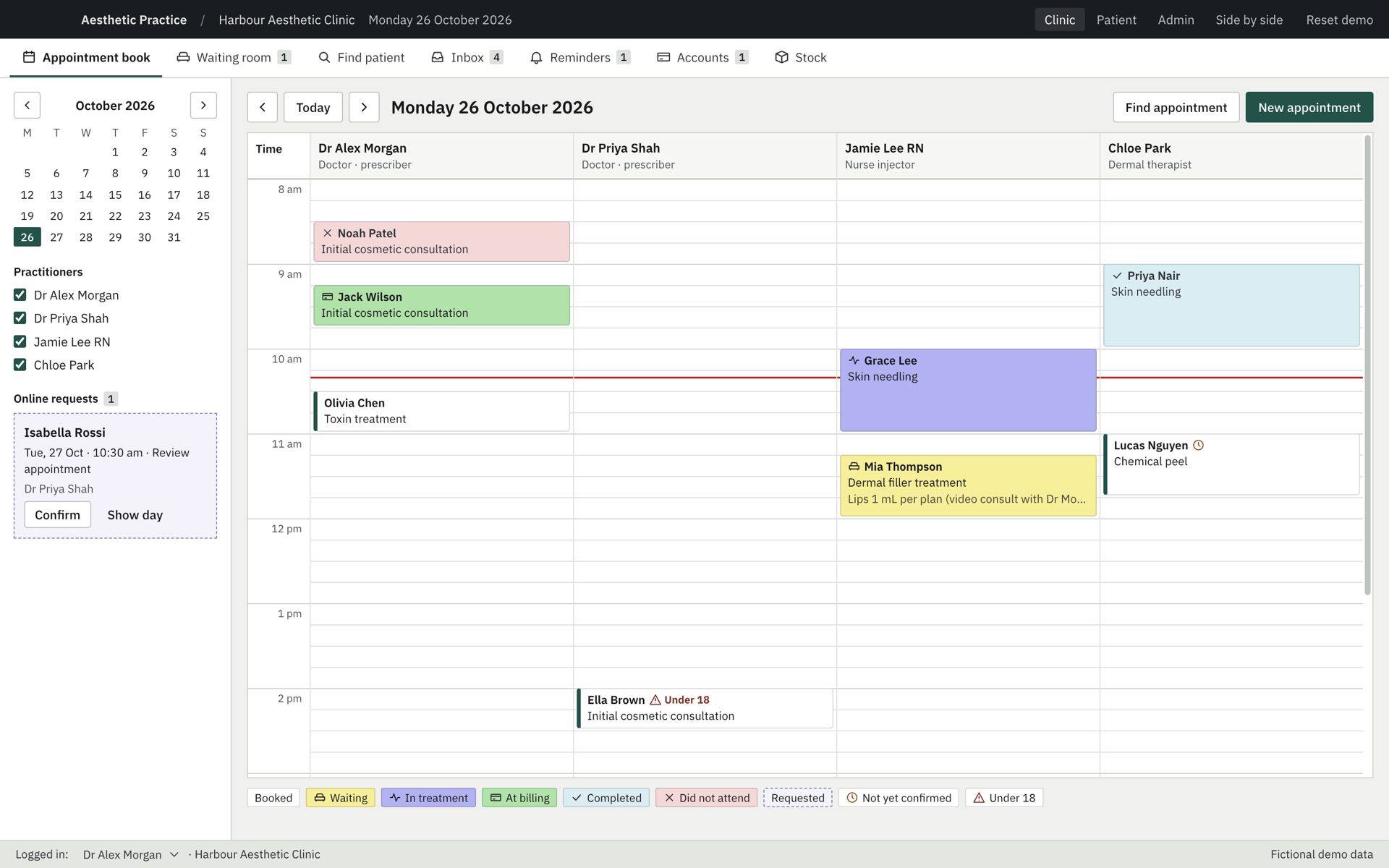
Every screen below is the shipped demo running on fictional patients. Reception, practitioners and the patient app work on the same record.
Slide 1 of 5: Appointment book
01 / 05
Time-by-practitioner grid, status colours, online requests and under-18 flags.
Use left and right arrow keys while this carousel is focused.
What changed for the clinic
The app keeps the task relationships staff already know and removes the copying between systems that slowed each visit down.
01
Allergies, consent status and the patient’s health history stay visible on the record, so gaps surface before treatment starts.
02
Injection points carry the product lot. Finalising the visit prices it, deducts the batch and keeps a patient trace for recalls.
03
Aftercare goes to the patient app, replies come back to Reminders, and a clinician records the outcome.
How AI helped
We used AI agents at every stage and kept people on the decisions: what the clinic does, what it must not lose, and what ships.
Agents read public Bp Premier, MedicalDirector and Fresha documentation and mapped which habits the clinic relies on.
Screens were generated, critiqued and trimmed task by task, keeping the modules staff use every day.
Coding agents built the Electron app for macOS and Windows and rendered every screen before release.
Download
Version 0.1.1, free, with a sample clinic day. Leave your name and email to get the installers. They are not code-signed yet, so your system asks you to confirm the first launch.
macOS · Apple silicon
M-series Macs · 105 MB
macOS · Intel
Intel-based Macs · 110 MB
Windows
64-bit installer · 88 MB
Next step
We build focused, AI-assisted software around the way your people already work. Download the demo, or write to hello@vertile.ai.